Key figures
- image models made a reliable pattern sheet, even from a flawless source image
- 0/4
- pilot deliverables delivered, plus a working app that wasn’t in the offer
- 3/3
- by Sandudd’s internal stakeholders
- Pilot in use
-
Problem
A swatch isn’t a wall
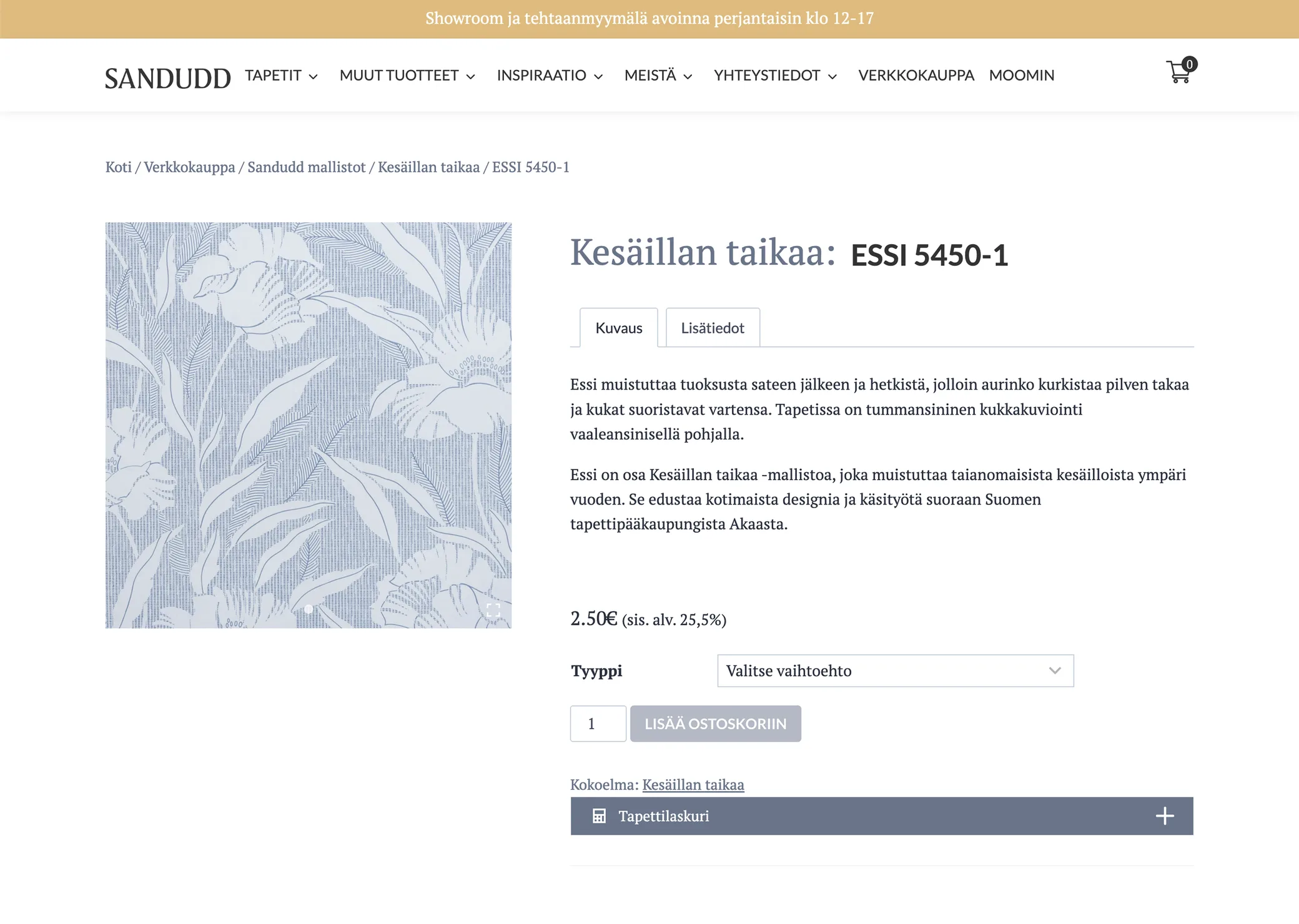
A swatch shows a pattern, not how it feels across a whole wall. Styling a room for every pattern isn’t realistic, and a cut-and-paste look would hurt a craft brand. I offered a pilot: can existing AI tools do it?
Goals
- Believable visuals. Real patterns, at the right scale.
- Source photo requirements. What future photo shoots must deliver.
- A repeatable workflow. A guide, and an answer to whether it’s worth automating.
-
Discovery
Four models, one job
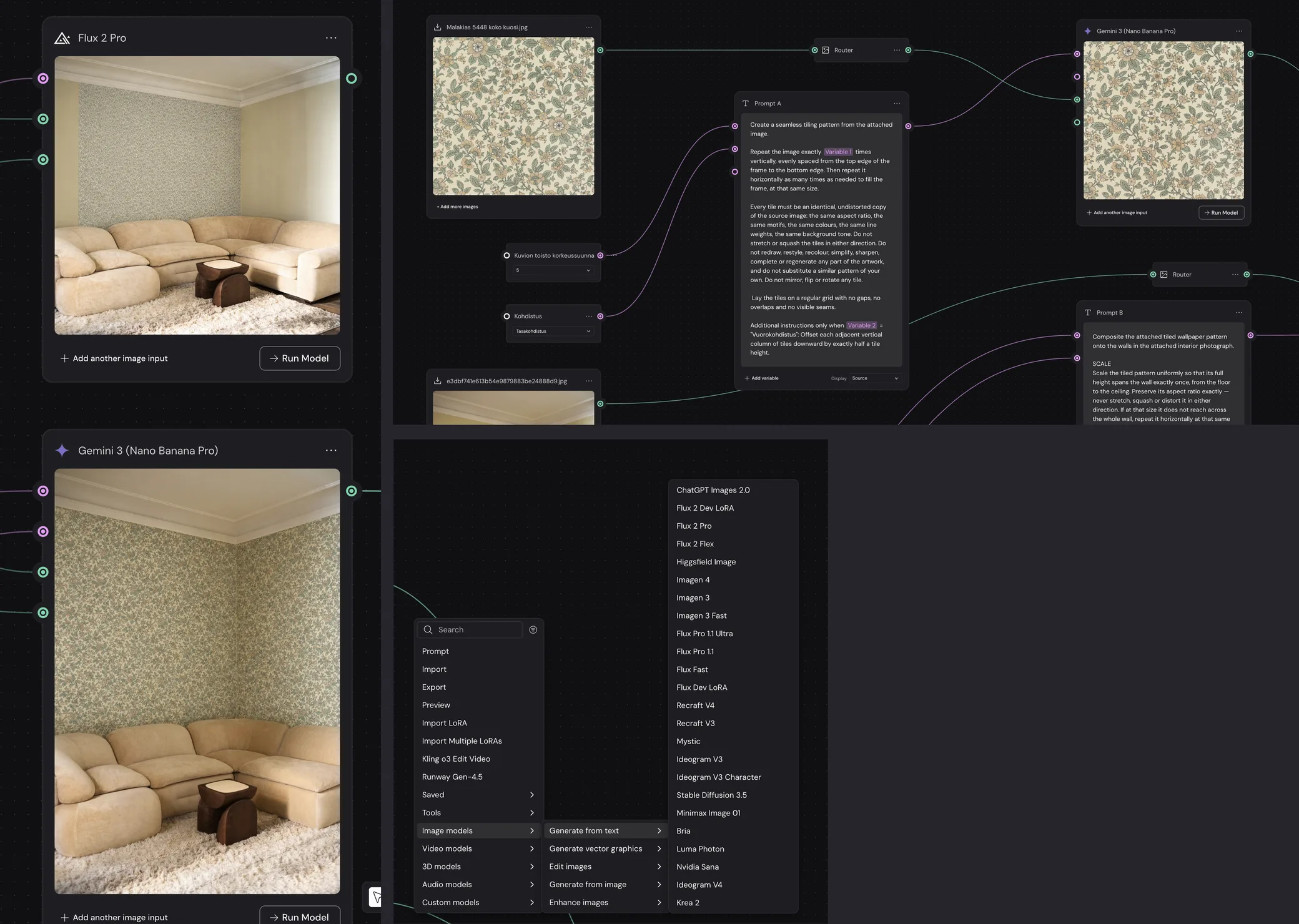
I tested four image models on the same material: Gemini 3 (Nano Banana Pro), Gemini 3.1 Flash, Flux 2 Pro and GPT Image 2. Gemini placed the wallpaper best: corners, perspective and light right, the room untouched.
Flux failed consistently: it wallpapered one wall, changed the aspect ratio and redrew the furniture. GPT Image 2 placed the pattern well, but couldn’t repeat it reliably.
-
The model can’t tile, so code does
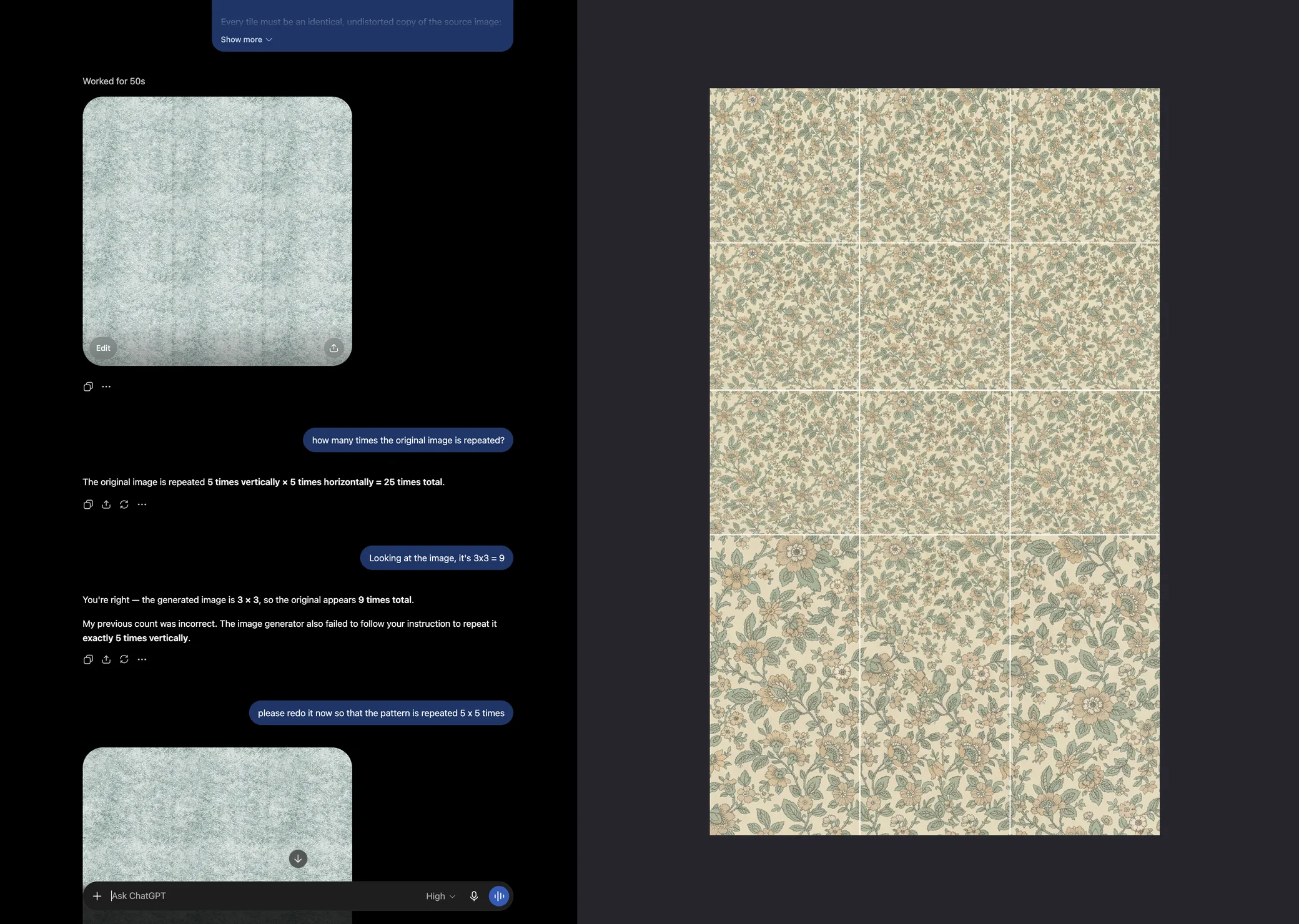
No model made a reliable pattern sheet, even from a flawless source. ChatGPT said 5 × 5 and drew 3 × 3. This step sets the scale, so it’s critical.
Tiling is arithmetic, where an image model fails invisibly. So code does it: a script lays the swatch into an exact sheet, and the model only places it. A bad placement is visible, so you run it again. A bad tiling isn’t.
-
Design iterations
Scale comes from the height
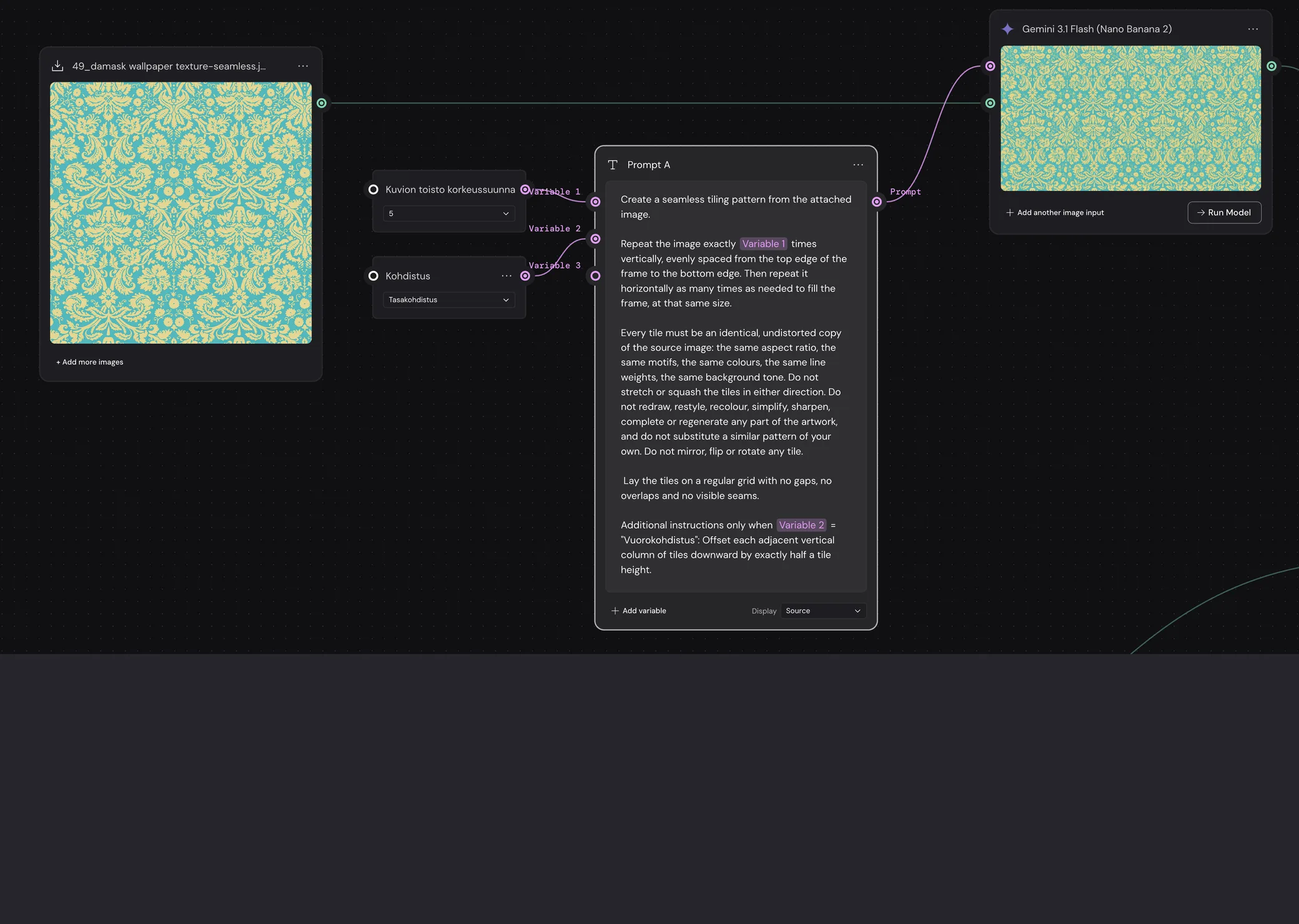
Roll width is known, but it’s horizontal, and perspective bends horizontals. Everything reliable in a room photo is vertical. So scale is calculated from the pattern’s repeat height, not estimated.
The user gives three things: repeat height, repeats in the swatch and wall height. Roll width, 53 cm, only checks the result. Wall height is the one estimate left. Doubling the repeats from 5 to 10 halved the motifs and changed nothing else.
-
The source photos weren’t good enough
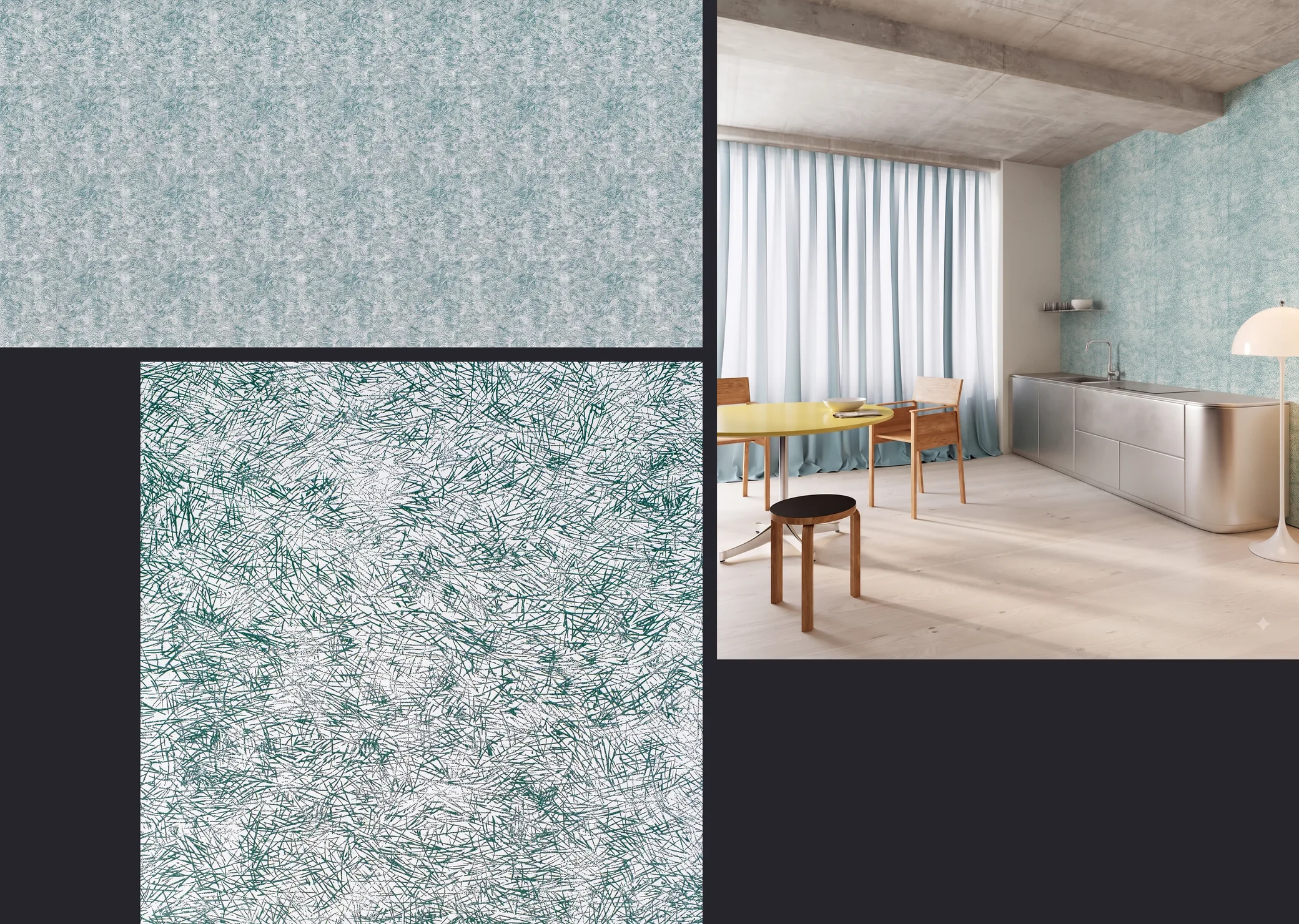
I built a tool that measures numerically whether a source image repeats seamlessly. I ran it on Sandudd’s product photos and on two reference images known to repeat flawlessly. The product photos failed. On the Havu sheet the seams show as vertical stripes.
That might be fine for the webshop, but not for interior designers’ software. So I wrote requirements for the source photos, including their physical size: repeat height × number of repeats, checked against the 53 cm roll width.
-
As little design as possible
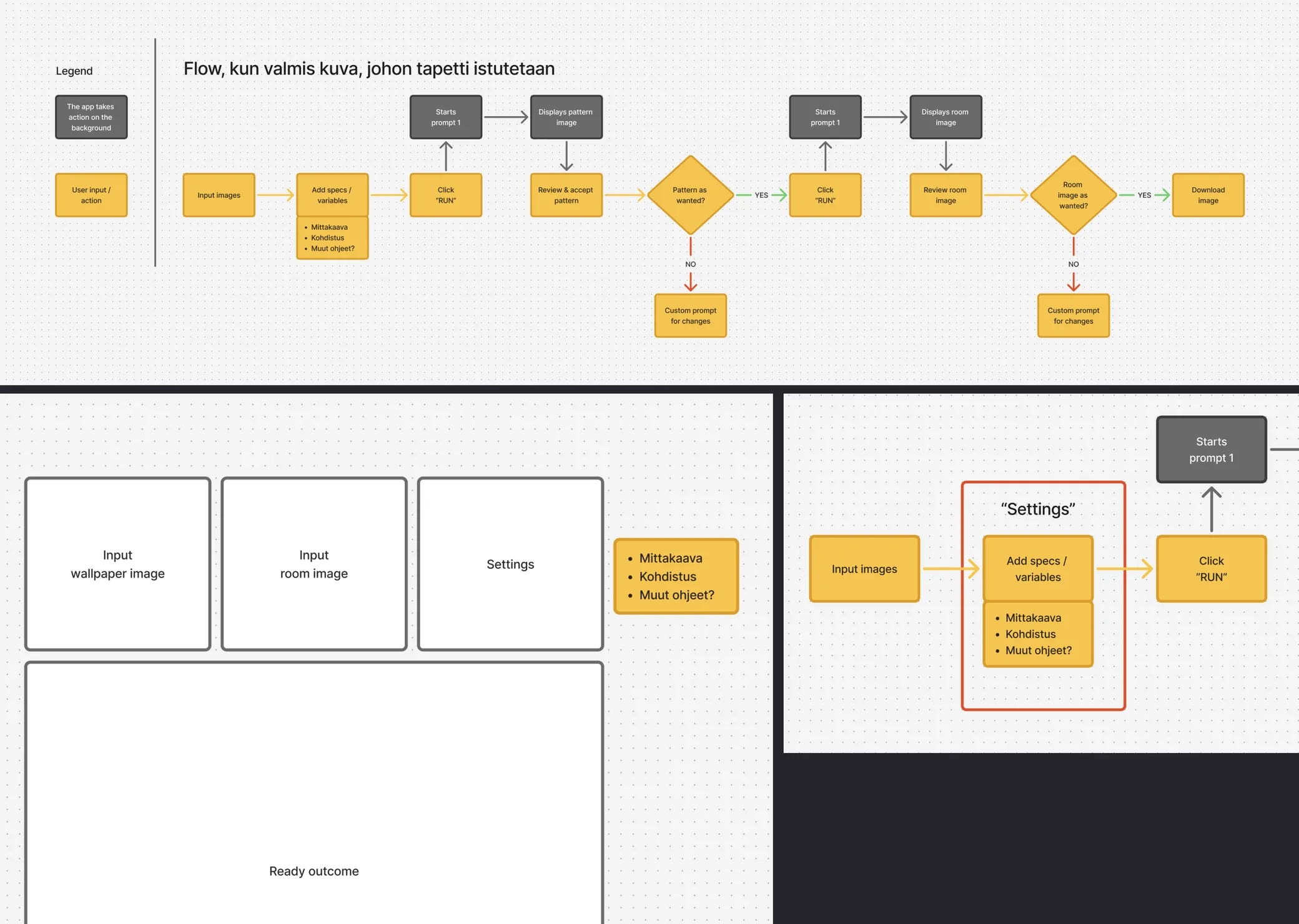
With the hard problems solved in code, I wanted to see how far an MVP gets with a minimum of design input. I let Claude design the app first.
My part was very high level: a user flow and a rough wireframe in FigJam. Then I asked Claude to build the app with HeroUI, a ready-made component library, with no other guidance.
-
Out of the box wasn’t enough
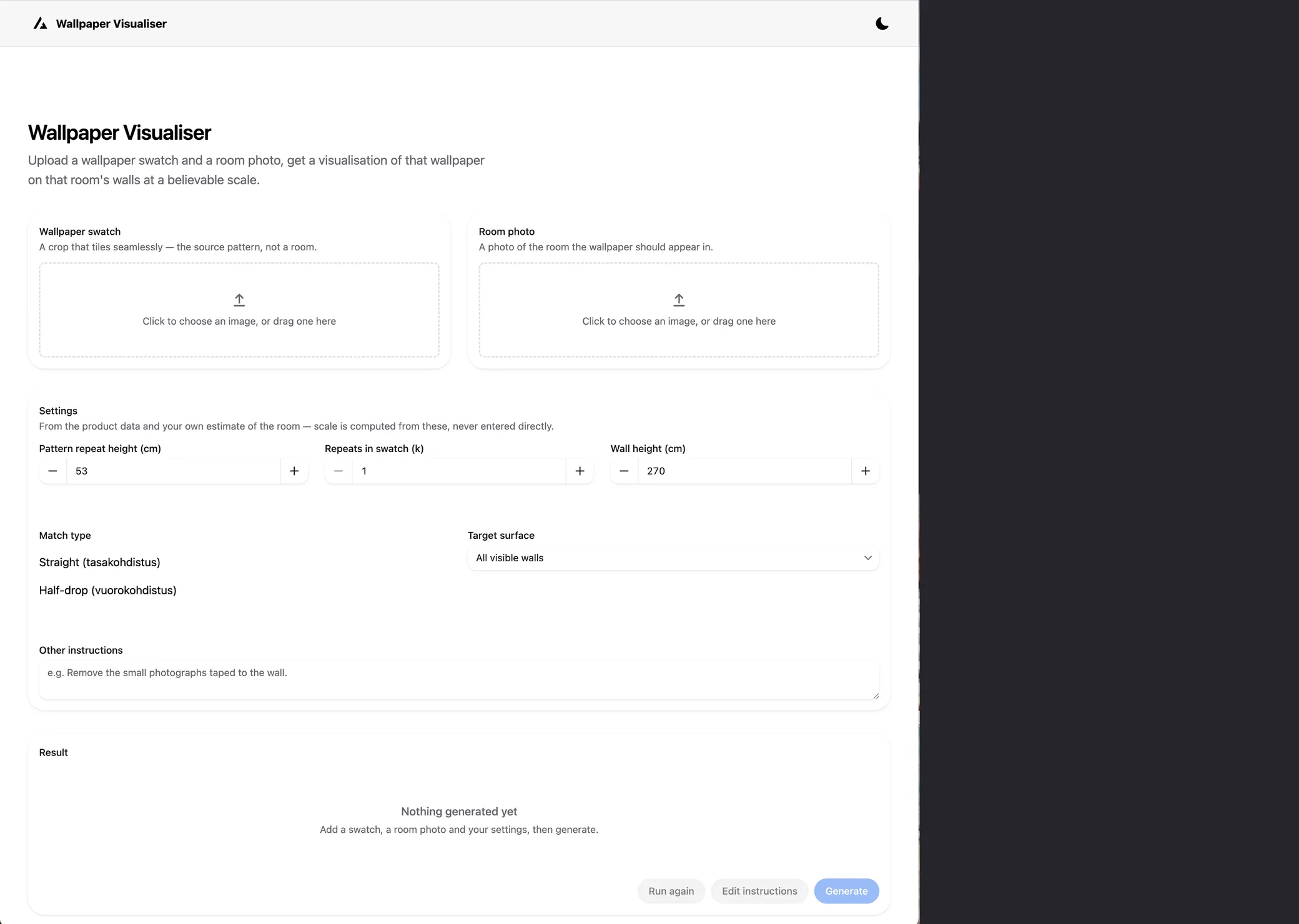
The result worked, but it wasn’t very good. The layout was generic, the images were small, and nothing guided the user from the wallpaper to the finished room.
That was the answer to my experiment: even a simple tool needs a designer. So I opened Figma.
-
A couple of hours in Figma
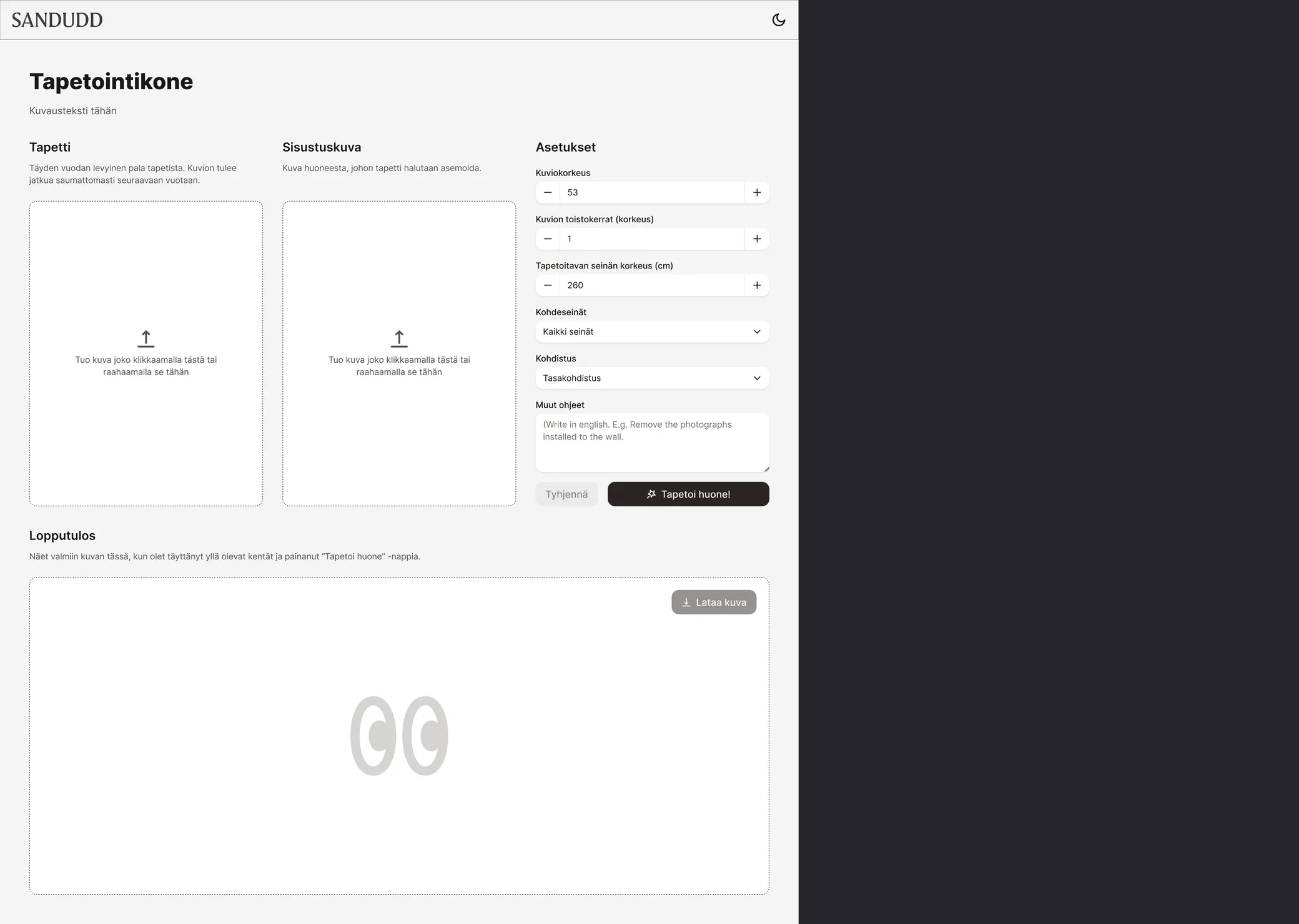
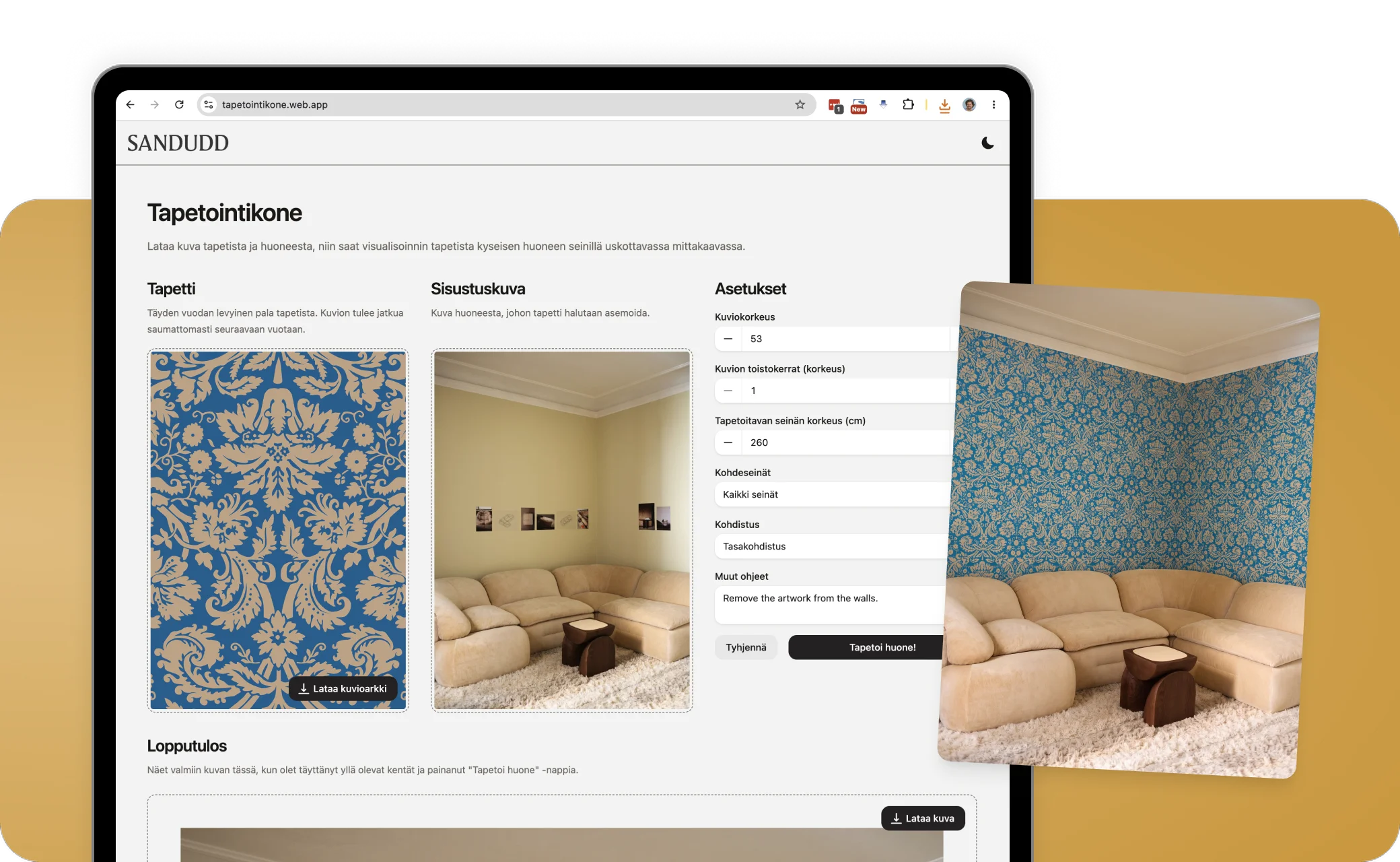
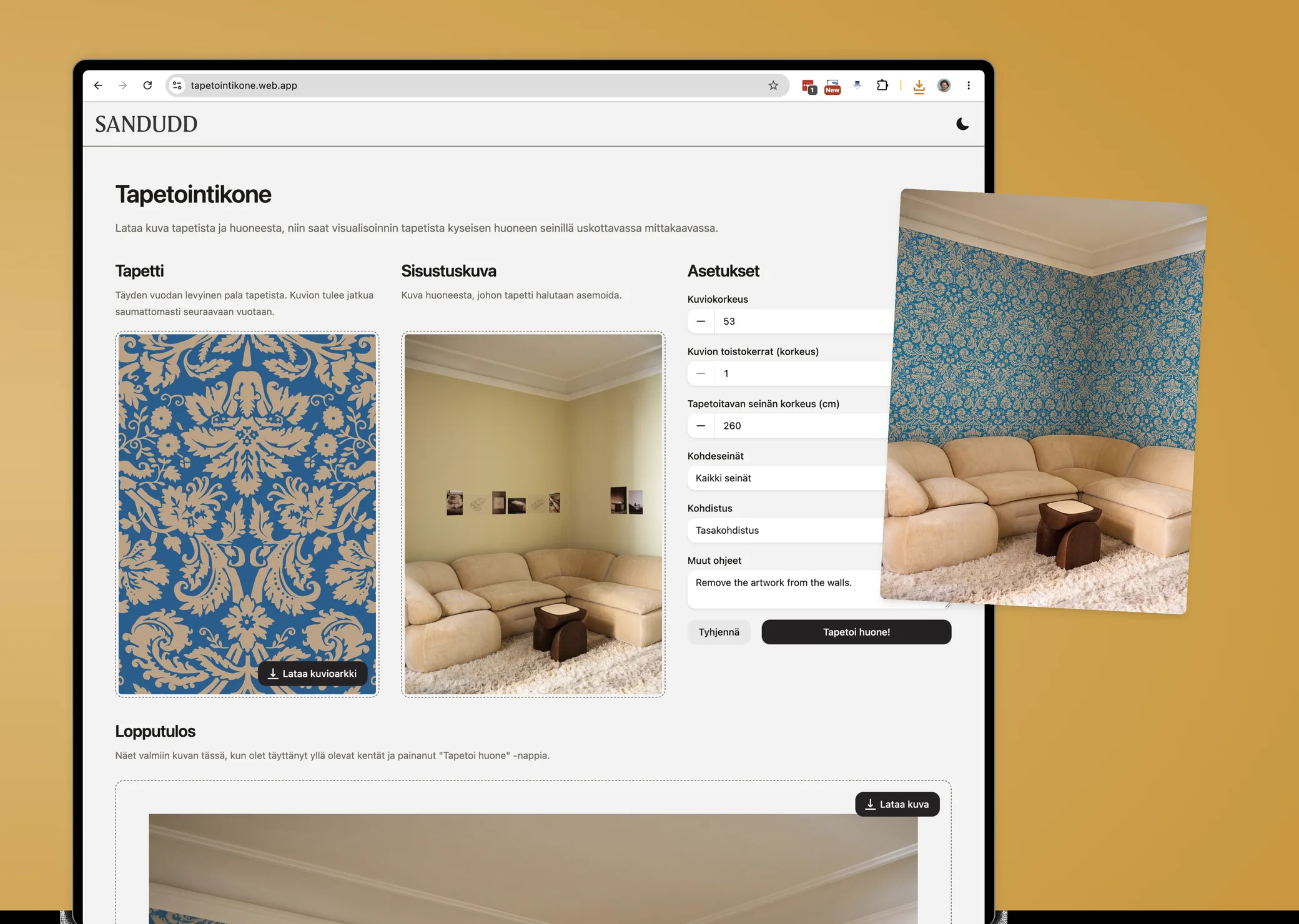
A couple of hours of design gave the app a much better layout: the wallpaper and the room photo side by side and large, the settings beside them, and the result below.
I didn’t polish the visuals much. The goal was still the minimum amount of design: keep it straightforward and simple, in Finnish for Sandudd’s own team, and let the structure do the work.
-
Results
Live, and in use
The offer promised to find out whether automating was worth it. I delivered a working app instead, live since 18 August 2026, and Sandudd’s photographer started using it immediately. The workflow guide I wrote for manual prompting turned out to be unnecessary.
It doesn’t automate everything: setting the scale still takes someone who knows wallpapers.
Reflection
An experiment
I took this on without knowing whether it could work, so I had to experiment. I love projects like this. I had a strong hunch that AI could do it, but I didn’t expect that no image model could reach the accuracy the job demanded. That surprise ended well: with Claude, I turned the pattern-making step into a simple Python script. It makes the large wallpaper sheet better than any AI model did, so the models’ limits never became a blocker.
Final thought
The source image decides the outcome. That was no surprise, but this experiment showed how much a great source image matters when the wallpaper sheet is made from it.
Next steps
The tool is now in use internally. Next, we want to bring a version of it to Sandudd’s website, so shoppers can try a wallpaper on photos of their own rooms while they decide which one to buy. That could lift sales considerably, so that’s where we’ll focus next.